|
|||||||||
|
|
|||||||||
|
| |||||||||
 |
|||||||||
|
|
|
|
|
|
|
Preparative HPLC service materials | Frequently Asked Questions |
|
|
 |
Training |
 |
Manuals |
|
Parts |
|
Notes |
|
Software |
|
Qualification |
 |
|
|
||
 |
 |
 |
|
When I update to a new driver, validation of the Galaxie software fails. Did I get the wrong driver? Verify will not connect to the detector when I am controlling the pump with Star or Galaxie. How do I activate the dual wavelength option of the PS325?
When installing multiple detectors by TCP/IP, can we configure the 335 PDA, 325 UV and 800 MIB through 10/100 T switch?When installing the questioned scenario, it will be beneficial to install a 10/100T switch as the 800MIB has a 10Mbit port and the 325 and 335 detectors have a 100Mbit port. The use of the 10/100T switch allows you to ignore the different speeds.
When I update to a new driver, validation of the Galaxie software fails. Did I get the wrong driver?When updating drivers, there are two different drivers that are published. One "driver" is published here on Dealer Net and is the driver specifically for the the instrument in question. An other "driver" is published on the Galaxie site and includes "drivers" for all instruments, updated or not updated, as well as other information necessary for Galaxie to recognise the update. When in a regulated environment, it is very important to have this "other information". It contains data necessary for the validation of the software for instance. Therefore, if you need to validate the Galaxie software, you must use the Galaxie packaged driver to perform an update. Verify will not connect to the detector when I am controlling the pump with Star or Galaxie. Is there a way to fix this?If you have configured a HPLC system in star or galaxie that includes the 325/335, the detector will be controlled by star or galaxie when the software is active. This means that LCVerify can not control the detector because star or galaxie already has control of it. The detector will not allow two software programs to have control of it at the same time. To avoid this, close down star or galaxie and then connect to the instrument with LCVerify. Once connection is established, then load up star or galaxie, the detector will show up as unavailable (because verify has control) but all other modules in the system, including the pump, can be controlled as normal. How do I activate the dual wavelength option of the PS325?The dual wavelength option must be ordered from the factory as a part (p/n 0110723100) and the serial number of the instrument must be supplied with the order. The customer is then mailed, faxed or emailed the unlock code which is different for every instrument. The following is an example only.
To enter the unlock code from Star Workstation, go to the 325 control window and click on the small square button labelled "..." (located on the right hand side of the Hide Keypad and Resume Plot buttons).
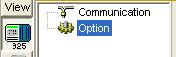
A pop-up window will appear asking for the Dual Wavelength Unlock Code. In Galaxie 1.7, the code is entered in the configure system part of the configuration manager. In the 325 section click on the Option icon.
When I use Prime or higher flow rates on a PS 210 (2ml/min with very low back pressure), the pump reports a "FLOW ERROR". The pump keeps running while the error is on the display. I get this message even if I run pump with no pump head installed.The issue regarding the flow error is due to the sensor that counts the motor revolution. Chances are, it is something to do with an over greased pump head. Take the pump head out, and do the prime and see if the motor is running correctly. In particular, check if flag is going through the sensor without problem. If the error persists without the pump head, then the problem is most likely the sensor board. If the error goes away with the pump head removed, then maybe there is a blocked CV that prevents the flow to go smoothly and exert too much stress on the motor and hinders its movement.
A customer of a PS 210 has problems with no flow at lower flow rates (gradient is programmed that this pump starts with 0,050 mL/min and later is flow increased to 0,5 ml/min ).Clean the excessive grease in bearing, piston and exchanged the check valves. Make sure the Compressibility Factor settings and High Pressure Constant are set correctly.
|
|
|
||||||
|
||||||
 |
 |
 |
||||
|
|
||||||
 |
||||||